Choose how you travel
Switch between driving, walking, and cycling directions to plan around your preferred way of getting there.

A clearer way to plan the journey
Plan a route by car, bike, or on foot. Compare the route details, explore the map, and keep directions ready to print.
Add to Chrome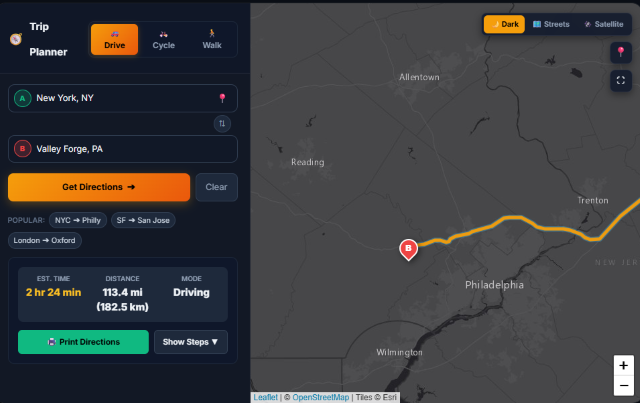
Made for everyday trips
Enter where you’re starting and where you’re going, then choose a travel mode. Earth Scape brings the route and useful map controls together in one place.
Explore the tools
Switch between driving, walking, and cycling directions to plan around your preferred way of getting there.
Review the estimated distance and travel time, open step-by-step directions, and check current traffic before setting out.
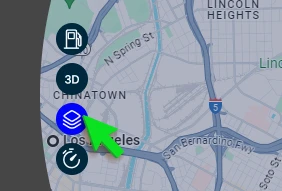
Choose a map style, including street and satellite views, and use map controls to orient yourself.
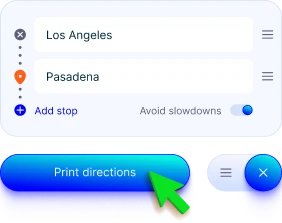
Use the print-directions option to print or save a step-by-step route for reference.
Earth Scape may show sponsored content. You can snooze sponsored content from the extension controls.
Your trip, at a glance
See your selected route on the map alongside its estimated time and distance. Change the travel mode or map view as your plan takes shape.
Getting started
Use the button below to visit the official Earth Scape listing.
Choose “Add to Chrome” on the store page and confirm the browser prompt.
Open Earth Scape, enter your starting point and destination, choose a travel mode, and review the directions.
Ready when you are
Expand the route steps when you want more detail, then print or save the directions for later.
Get Earth ScapeReady to plan?
Visit the Chrome Web Store to see Earth Scape and add it to Chrome.
Add Earth Scape to ChromeRoutes, travel times, map information, and traffic conditions may change. Check current conditions and use your judgment while travelling.